Just Starting Out
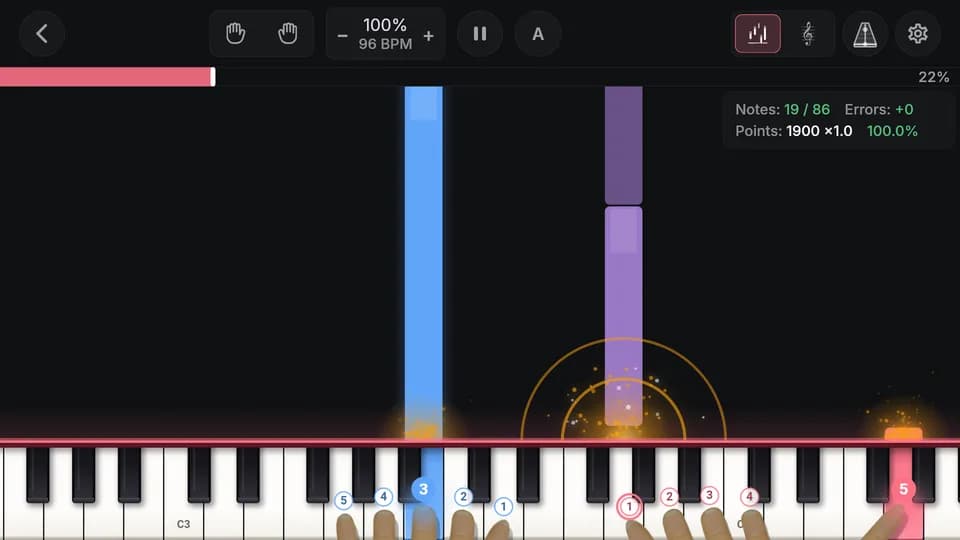
Follow falling notes onto the keys, turn on note labels, and let wait mode hold the song until you find the right note.
Falling notes · Note labels · Wait mode
Sheet music that follows every note you play, instant feedback on pitch and timing, and an AI coach that tells you exactly what to practice next.

The browser version runs on desktop Chrome or Edge.
Piano Pilot already checks every note you play for pitch, timing and hand. The Practice Coach builds on that to do what a good teacher does: tell you exactly which bars to work on, why, and how to practice them, so every minute at the keys counts.
Für Elise · Run complete
Accuracy 72%
Practice Coach
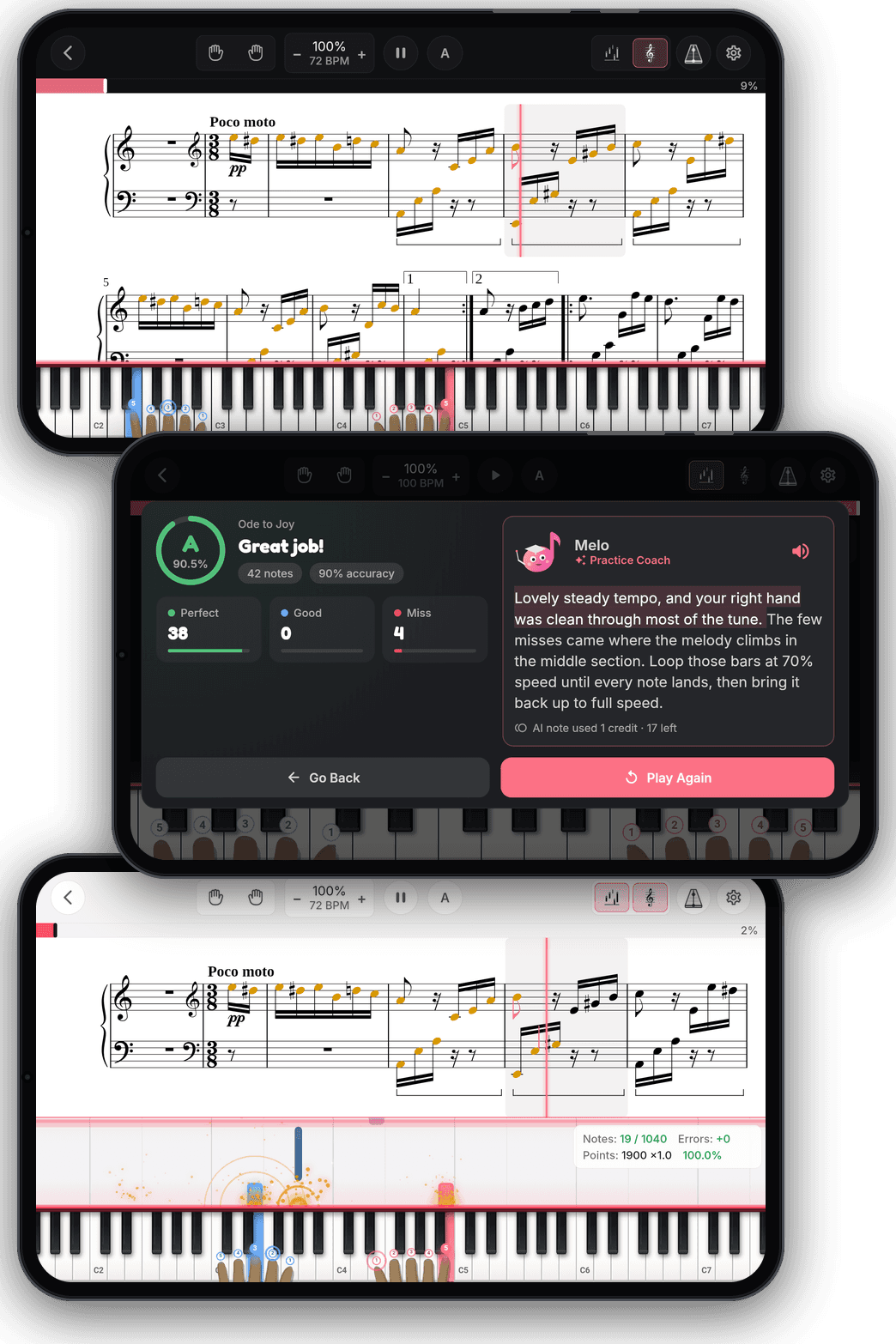
Your right hand was clean. Your left hand ran a little early in bars 12–16, where most of your misses were. Slow it down and lock in the timing there first.
Loop bars 12–16 at 70% speedIllustration of the Practice Coach on the results screen.
Practice Coach
After every run, plain-language advice on what to fix, a one-tap drill and a practice piece for the bars that tripped you up.
Daily Practice Plan
A short plan built from your history: a warm-up, yesterday's trouble spot, and a song that's a small step up.
Easier Song Versions
Melody-only or simpler left-hand versions of the songs you love, so you can play them today and level up later.
Smarter Listening
Better chord recognition through the microphone when you practice on an acoustic piano.
Every core feature of Piano Pilot is free, with no subscription and no trial that runs out. The AI coach is the part you pay for: one credit per note, 50 free credits to start, and you buy more only if you want them.
Core features
$0
no subscription, no time limit
Some extra songs in the in-app store also cost credits. Each one shows its price, and bought songs are yours to keep.
AI coach
4.4¢
per AI coach note, at the lowest pack price
Card payment on the web, or in the app. Works in every Melopilot app.
What a year costs
An AI coach note on 60 runs a month in Piano Pilot, next to the listed yearly plans of popular piano apps.
Piano Pilot figure uses the biggest pack with the launch bonus and leaves out the 50 free credits; with AI notes switched off it costs nothing. Other apps: listed US annual plans as of November 2026 (ArtMaster, 2026). Prices vary by region and offer. Simply Piano, Skoove and Flowkey are trademarks of their owners.
Piano Pilot fits around how you learn, whether it's your first song or your hundredth.

Bluetooth, USB or Mic
Connect Any Piano

Perfect · Good · Miss
Every Note Graded

Sheet or Falling Notes
Read Music Your Way
Follow falling notes onto the keys, turn on note labels, and let wait mode hold the song until you find the right note.
Falling notes · Note labels · Wait mode
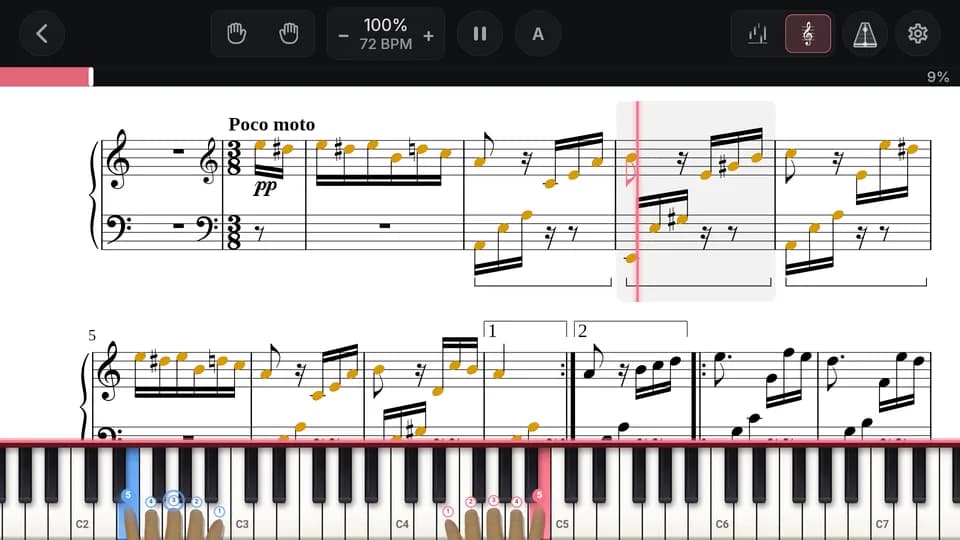
Real, engraved sheet music that scrolls with you. Loop the tricky bars, slow the tempo, and see a grade at the end of every run.
Sheet music · A–B loops · Speed control
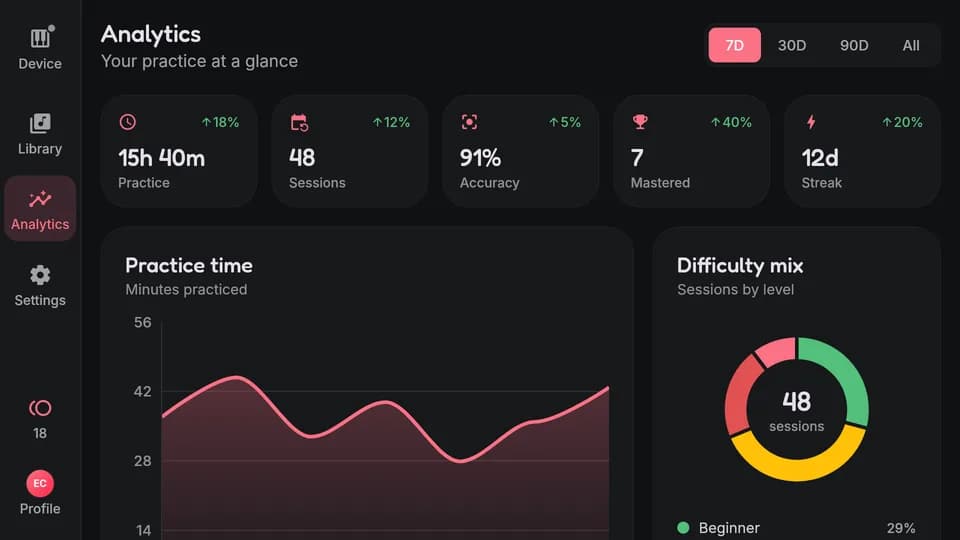
Give each player their own family profile with separate progress, streaks and a daily goal, all under one account.
Family profiles · Streaks · Daily goal
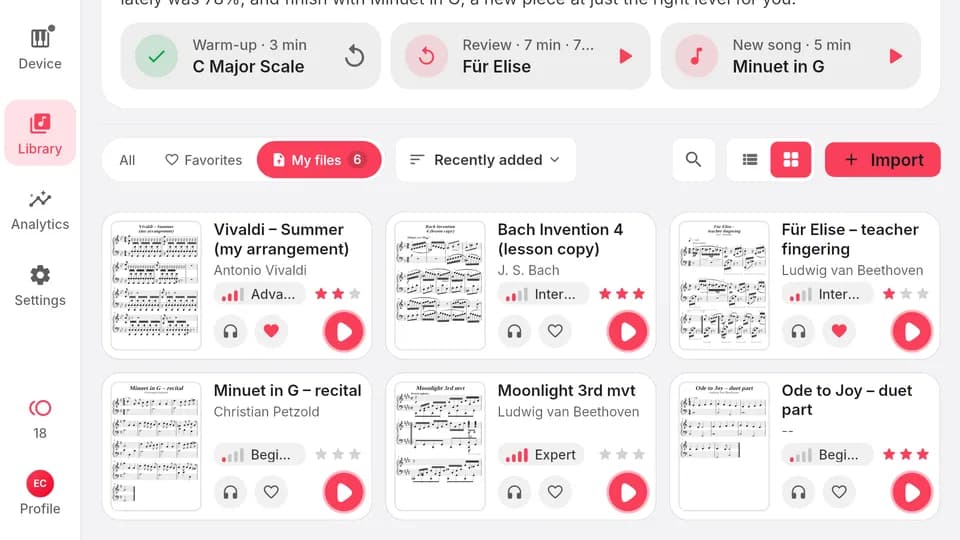
Import MusicXML scores and practice them with the same sheet music, falling notes and note-by-note scoring as the library.
MusicXML import · Hand colors · Scoring
Every musical journey starts with an instrument. Discover the one that matches your passion, personality, and creative goals.

Piano
Develop essential musical skills through chords, scales, sight-reading, and song performance.


Guitar
Learn chords, strumming patterns, fingerstyle techniques, and lead guitar skills through engaging lessons.


Violin
Master bowing techniques, finger placement, posture, & musical expression while developing your skills.


Vocals
Improve vocal strength, pitch accuracy, and confidence through guided exercises designed to help you become a stronger and more expressive singer.


Accordion
From your first chords to advanced techniques, MeloPilot provides structured learning paths to help you grow confidently as an accordion player.

Personalized Learning Paths
Lessons adapt to your skill level and goals.
MIDI Keyboard Support
Connect your keyboard for an immersive learning experience.
Progress Tracking
Visualize improvement with detailed analytics.

Achievements & Rewards
Stay motivated with milestones and streaks.
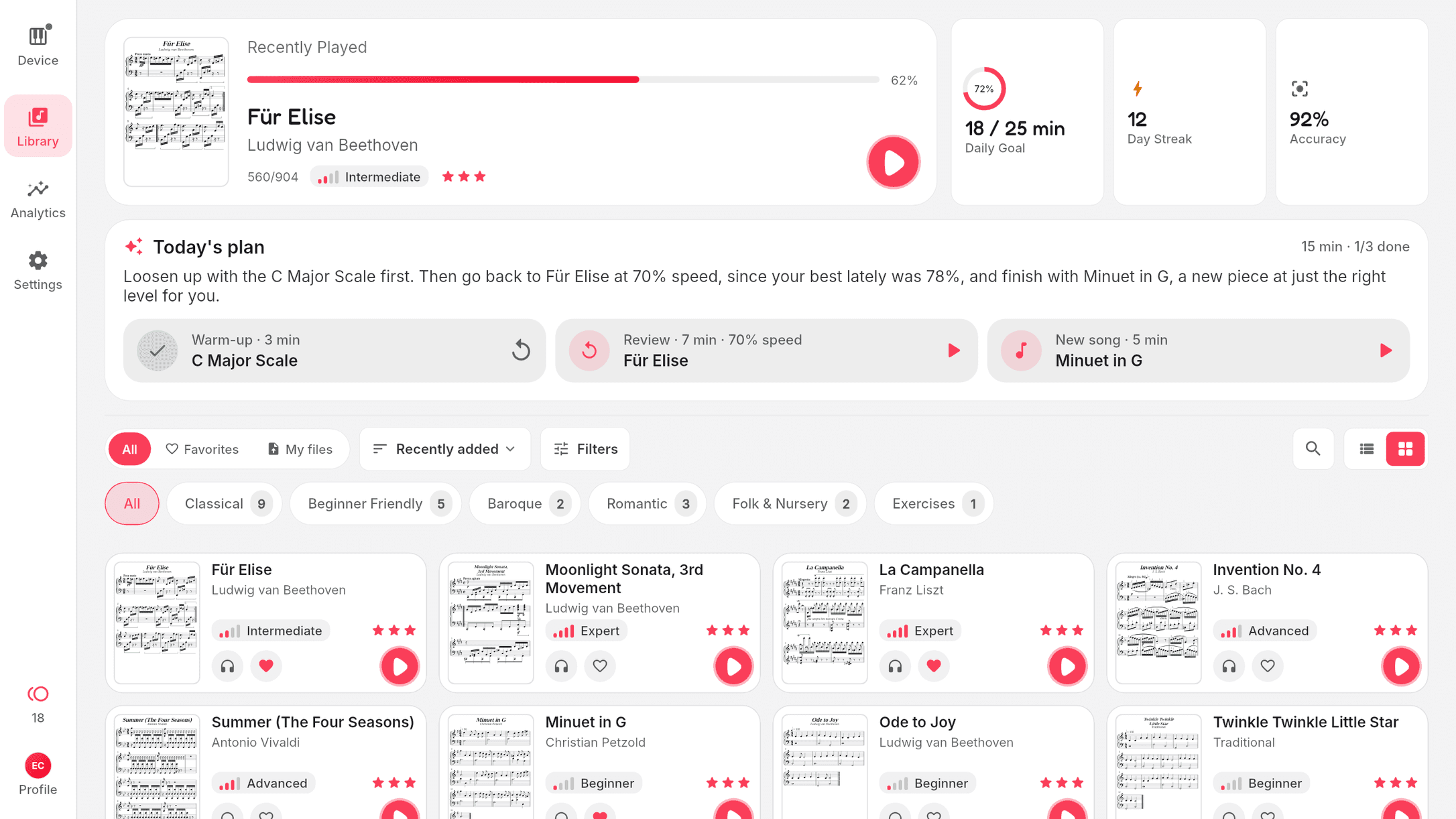
Explore hundreds of songs across multiple genres and difficulty levels.
Everything you need to know about getting started with MeloPilot.
Yes, every core feature is free: sheet music that follows you, falling notes, MIDI and microphone input, note-by-note grading, loops and speed control, the free song library, your own MusicXML imports, analytics and family profiles. There's no subscription and no trial that runs out. You only pay for what you use of the AI Practice Coach, at one credit per note, and new accounts start with free credits. Some extra songs in the in-app store also cost credits, and each shows its price before you buy.
Soon. The iPhone and iPad version is in App Store review now. Piano Pilot is on Google Play for Android today, and on a desktop computer you can play in your browser right now. One Melopilot account works everywhere, so your progress carries over.
Absolutely. MeloPilot is built for all levels — our adaptive lessons start with the fundamentals and grow with you as your skills improve.
Yes. The Practice Coach turns the app's note-by-note measurements into plain advice after each run, with a drill and a practice piece for the bars that need work. Each AI note uses one credit (new accounts get 50 free, and there's no subscription), and you can switch AI notes off in Settings to keep free basic tips. Only note statistics are sent, never recordings of your playing. The daily practice plan and easier song versions (melody only, or a simple left hand) are free.
No. You can begin with on-screen lessons right away. For the full experience, connecting a MIDI keyboard or your instrument unlocks real-time feedback.
Check that your device volume is turned up and your instrument audio settings are enabled. Also ensure your headphones, speakers, or MIDI keyboard are properly connected before restarting the session.
Head to Settings → Devices, disconnect your current device, and follow the pairing steps to connect a new MIDI keyboard or controller.
Open Settings → Account → Reset Progress. You'll be asked to confirm before any practice history is cleared.
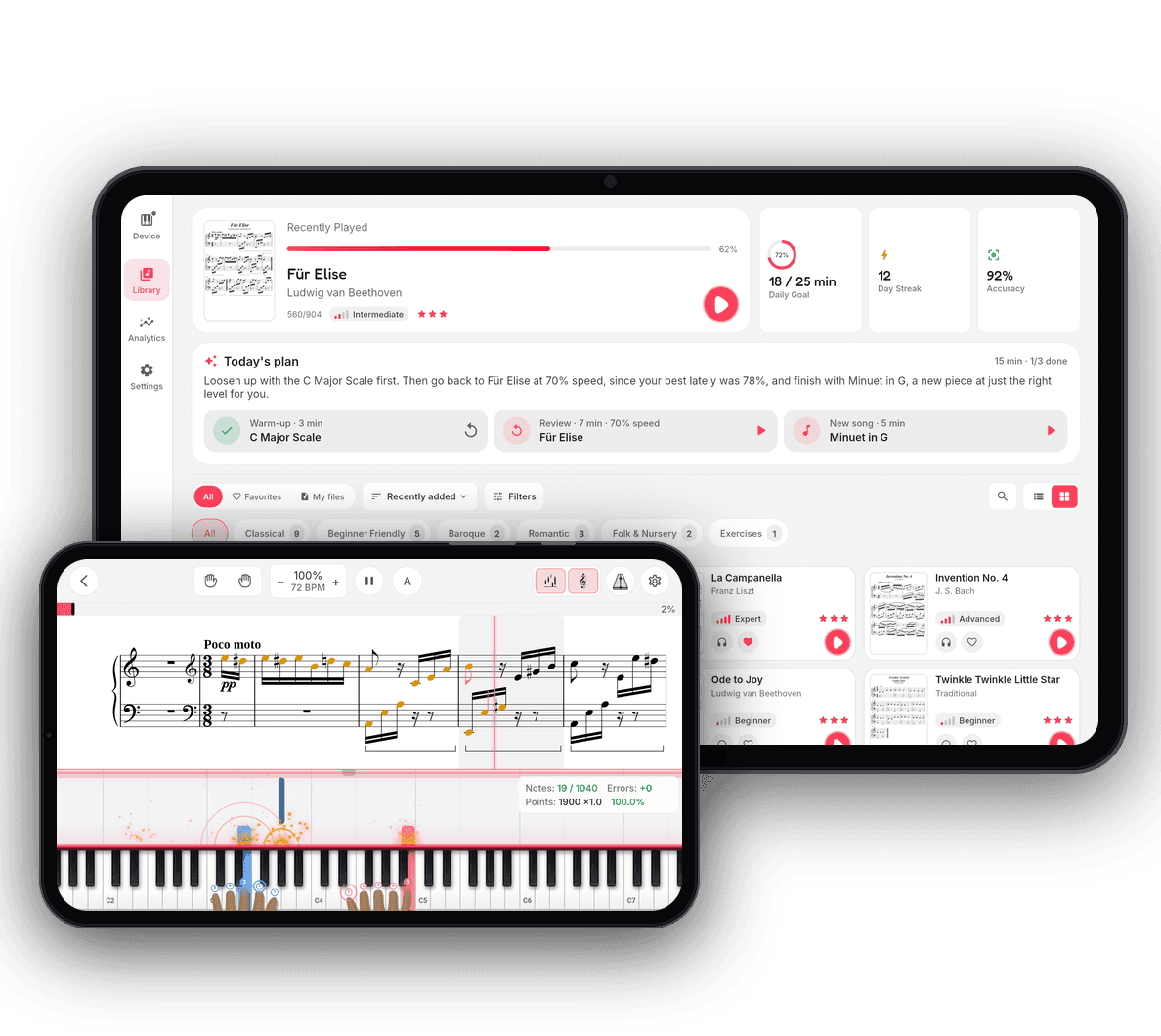
Join thousands of learners using MeloPilot to build confidence, master techniques, and achieve their musical goals.
The browser version runs on desktop Chrome or Edge.
Share what you're practicing, ask for help, suggest songs and hear about new features first. Come say hi on Discord or Slack.